



 한국어
한국어
 English
 简体中文
简体中文
 日本語
日本語
 Tiếng Việt
 ខ្មែរ
ខ្មែរ
UTTU CADPattern Tutorial | Making a Round Convertible Collar with a Basic Collar Pattern Variation
작성자 :
manager
작성일 :
2025.12.17 16:36
조회수 :
1494
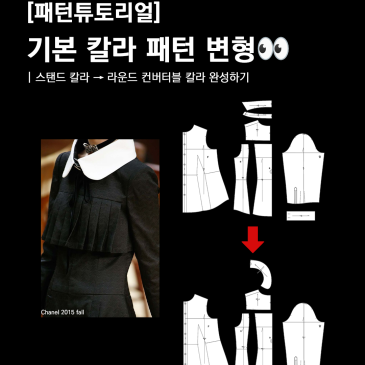
[Pattern Tutorial] Modifying the Basic Collar Pattern
This tutorial introduces the entire process of transforming a stand collar pattern into a round convertible collar. It may look complicated, but if you accurately establish the neckline reference, you can achieve a clean finish with just a single curve.
Step 1: Adding Front Overlap
Add a 1cm overlap to the front panel's shoulder line. Since the convertible collar is designed to fold back, the collar may spread apart or the shoulder line may lift if there is no overlap. The initial overlap setting is a critical step that determines the overall stability of the collar.
Step 2: Attaching Front and Back Necklines
Use the pattern move and rotate functions to accurately attach the back panel to the front panel's neckline. If the front and back neckline references are misaligned, the collar curve will become distorted, so at this stage.......