



 한국어
한국어
 English
 简体中文
简体中文
 日本語
日本語
 Tiếng Việt
 ខ្មែរ
ខ្មែរ
UTTU CAD[Pattern Walking] Feature Guide
작성자 :
manager
작성일 :
2026.03.13 18:16
조회수 :
551
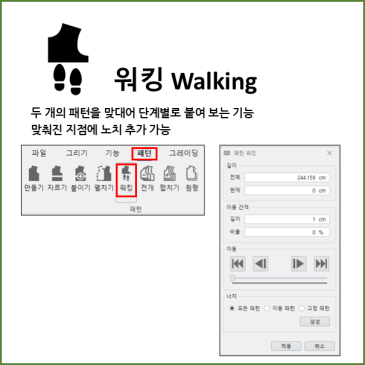
When working with patterns, there are often cases where you need to connect two patterns by matching their lengths or accurately mark notches at specific locations. The Pattern Walking feature is exactly what you can use in such situations. Using the Pattern Walking function, you can join two patterns step-by-step according to their lengths and precisely add notches at desired points. In this article, we introduce how to align patterns and create notches using UTTU CAD's Pattern Walking function. Introducing the [Pattern Walking Function]. This function allows you to add notches at desired points by joining two patterns step-by-step according to their lengths. After running Pattern Walking, select the reference points for the pattern to be moved and the pattern to be fixed, respectively.......