



 한국어
한국어
 English
 简体中文
简体中文
 日本語
日本語
 Tiếng Việt
 ខ្មែរ
ខ្មែរ
UTTU CAD[Actual Size] Feature Guide
1. Feature Introduction
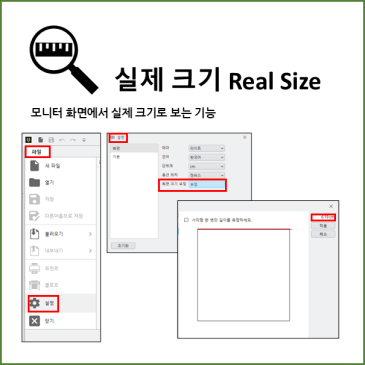
This feature allows you to view patterns at their actual size (1:1 ratio) on the monitor screen. Since you can check the size in advance without printing, it is very useful for pattern review or pre-work verification.
2. Essential Settings Before Use (Screen Size Calibration)
To use the actual size feature, you must first configure screen calibration.
Setting Path: File → Settings → Screen → Screen Size Calibration
How to Set:
1. Identify the rectangle displayed on the screen.
2. Directly measure the actual length of the rectangle using a ruler.
3. Enter the measured value and click the Apply button.
This process aligns the monitor resolution with the actual length.
3. How to Check Actual Size
Once screen calibration is complete, place the pattern on the monitor.......