




 한국어
한국어
 English
 简体中文
简体中文
 日本語
日本語
 Tiếng Việt
 ខ្មែរ
ខ្មែរ
UTTU CADv.1.3 Update Notice
작성자 :
manager
작성일 :
2024.06.26 10:17
조회수 :
2371

UTTU CADUpdate Notice
Korea's first developed pattern CAD
Easy to use anywhere
UTTU CAD
Are you using it well?
UTTU CADVersion 1.3We would like to inform you about the update.
In this updateLine length display, grading rule value display, digitizing functionThe backAdded.

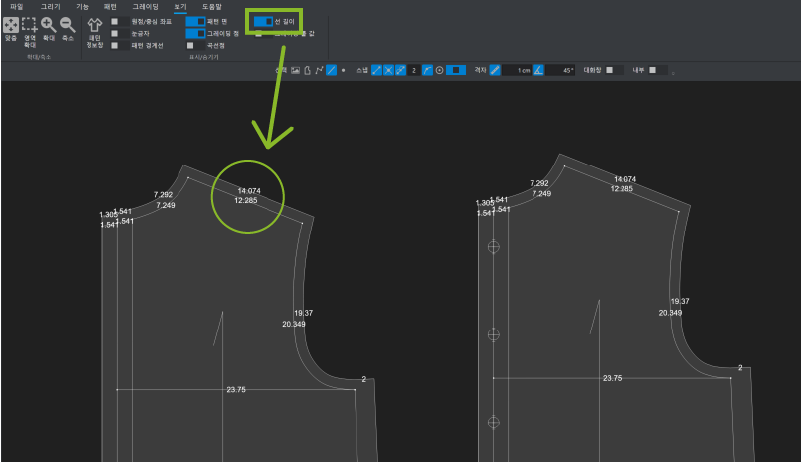
Line length display functionYou can turn it on and off in the View tab.
This is a function that displays the length of all lines.
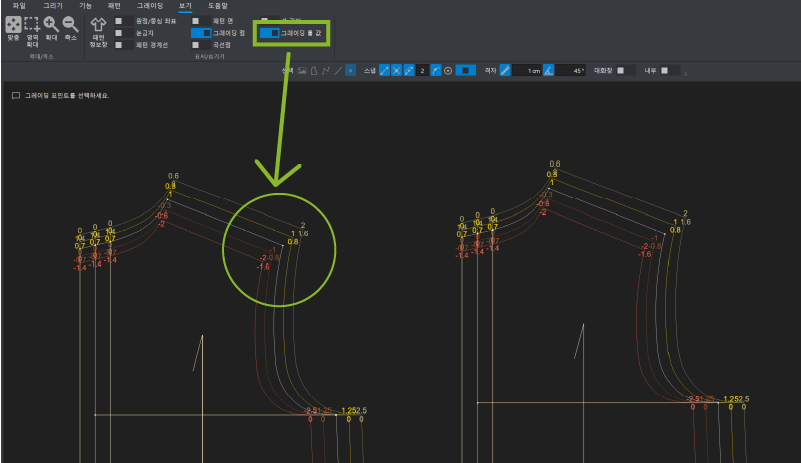
Grading rule value display functionIt displays the rule value at the point with the deviation value in grading mode.
On the screen, the corresponding rule value (=deviation value) isAccumulationIt is displayed as a value.
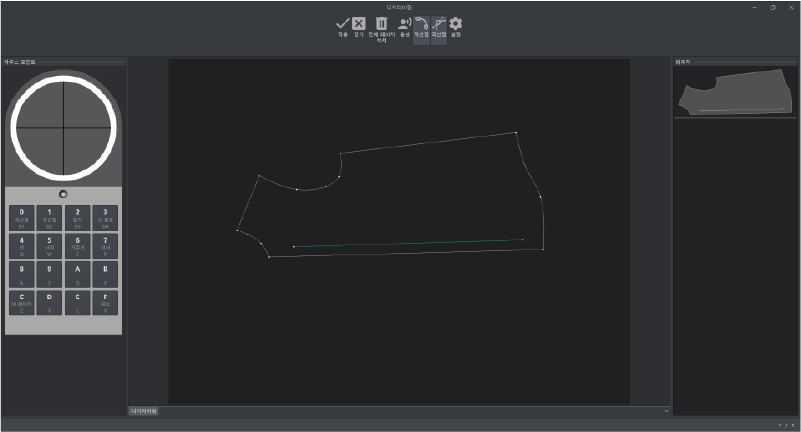
Digitizing functionis currentlyYHT-3648C modelWe support .
You can use it in [File -> Load -> Digitizing].
You can input dots using the remote control by referring to the information written on the remote control icon on the left.
You can find more details in the manual.
UTTU Nest Preview versionWe opened.

If you proceed with automatic updatesUTTUCAD andUTTU Nest, 2 programs will be automatically installed.**
After the update, please check the shortcut icon on the desktop.
UTTU NestYou can also log in with your existing ID and password.
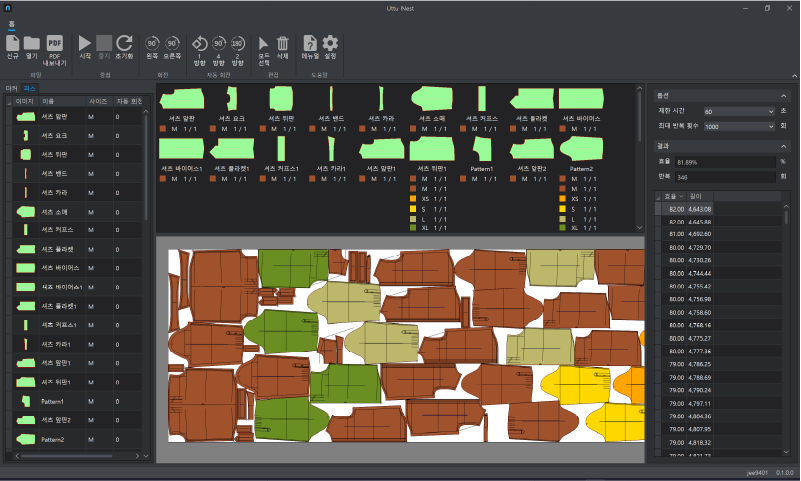
UTTU NestPlease refer to the manual for detailed usage instructions.
Soon on the YouTube channel as wellUTTU NestWe plan to upload a manual video, so please look forward to it.
Complete patterns more easily with the added features!
Even betterUTTUWe will always do our best to provide product services.
thank you