





Re: When the seam allowance is not drawn

작성자 : manager
작성일 : 2024.12.12 14:39
조회수 : 1050

Hello, customer :)


It appears that the situation you described is that there is no pattern because 'Create Pattern' was not executed.


[Drawing] After drafting the pattern using the tools,

You must create a pattern by specifying the outline using the [Create Pattern] tool on the [Pattern] tab to use seam allowances.


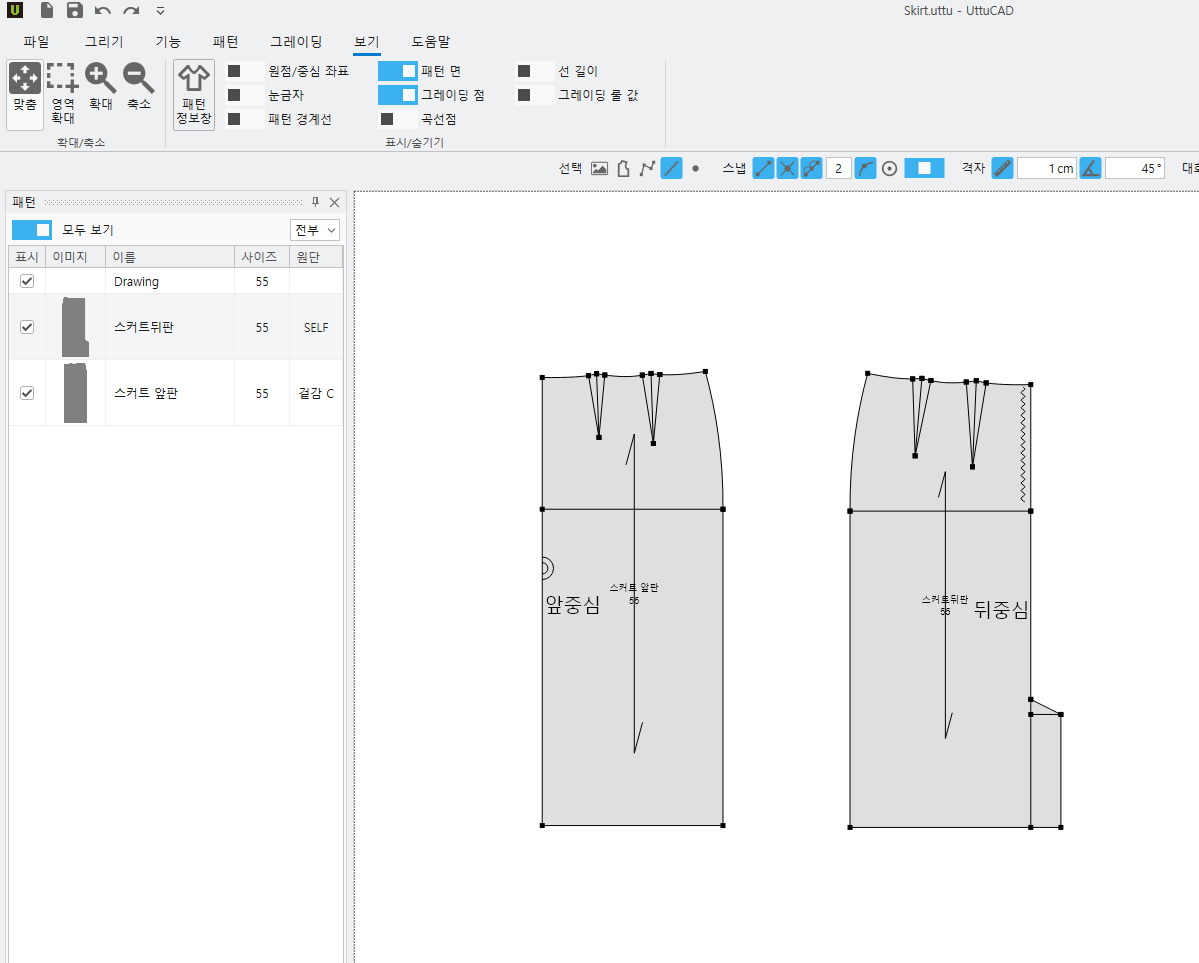
1. Check if there is any grayed-out area within the CAD screen.

2. Open the [View] tab - [Pattern Information Window]. (The list window opens on the left side of the CAD screen)

3. Check if there is a pattern name and list in the left list pane.


If it differs from the image below, the current file does not have a pattern.

Please check according to the process above, and if there is no pattern, please create a pattern by following the method below.


Creating Patterns

1. Click the [Pattern] tab.

2. Click the [Create Pattern] icon. (Shortcut: Keyboard X button)

3. Select the outlines you want to make into a pattern in the order they are attached, rotating clockwise (or counterclockwise) once.

4. When the last outline is specified, the corresponding area is displayed in blue (or) green.

5. If you click anywhere on the area, the pattern shape follows the mouse cursor as a dotted line.

6. Click where you want to place the pattern.

If dialog box options are enabled, 'Move' dialog box popup -> Ignore numbers -> Click 'Apply' button

7. The 'Pattern Information Window' pops up.

8. Enter a pattern name and click the 'Apply' button.


9. Afterwards, specify the outline using the [Adjust Seam Allowance] function, and if you enter the seam allowance amount, a seam allowance will be created.


I have attached a link to the manual for this feature for your reference.


<Creating Patterns> : Video Manual

https://www.youtube.com/watch?v=yt7IrUK7Xao


<Creating and Modifying Seam Allowances> : Document Manual

https://doc.uttu.me/ccb8936b-8808-4085-a3b4-c9008a886000