




 한국어
한국어
 English
 简体中文
简体中文
 日本語
日本語
 Tiếng Việt
 ខ្មែរ
ខ្មែរ
[អាប់ដេត] UTTU CAD v.1.9
hello UTTU CADno see.
UTTU CADv.1.9 We would like to inform you about the update..

(1) automatic/Improved to allow pattern creation in two manual ways
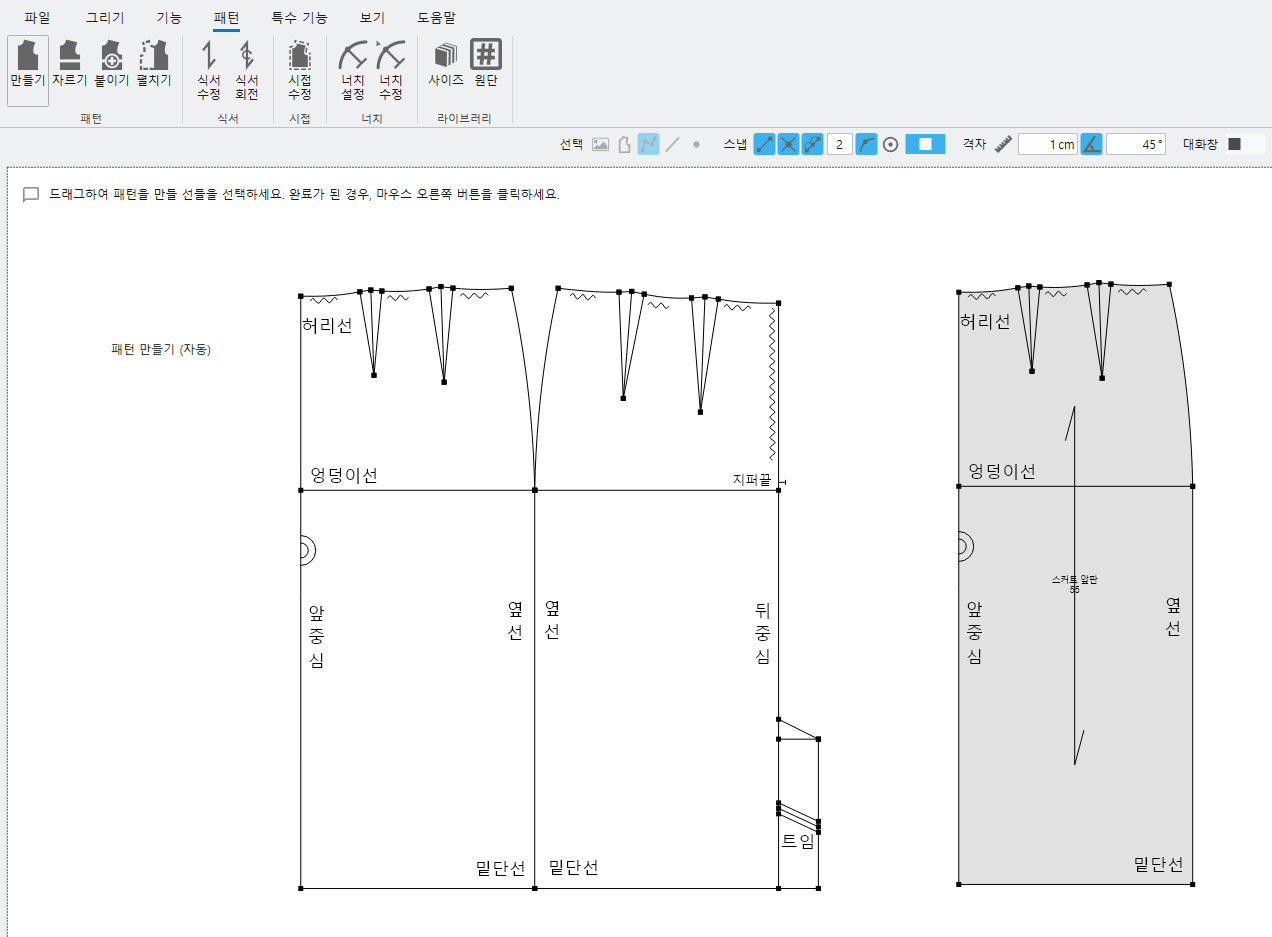
<Automatic pattern generation>
① pattern-Select the create function(Shortcuts:X)
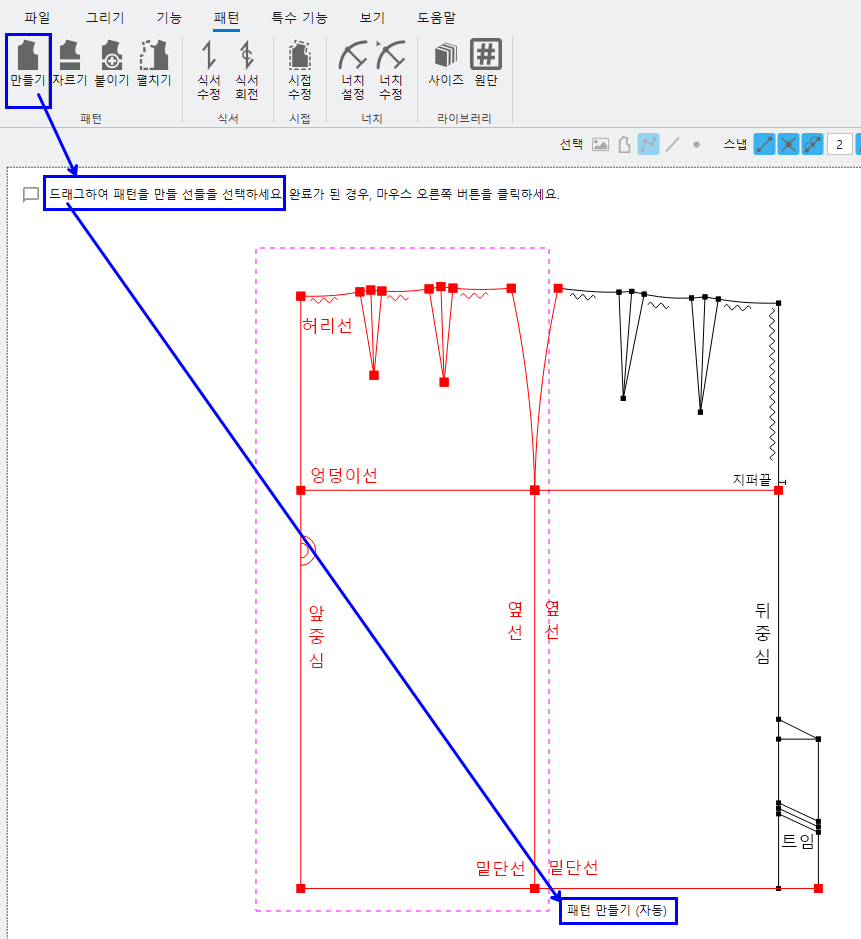
② Drag the area you want to turn into a pattern- Right-click
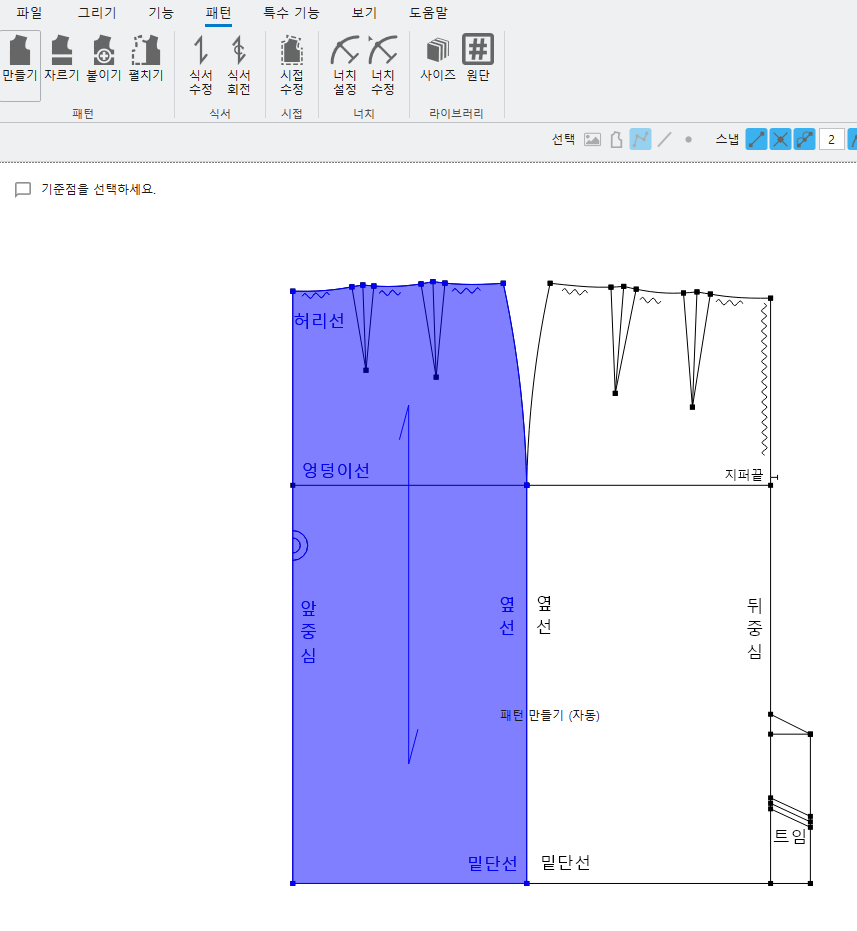
- Once the pattern is created, color is applied.. (Light mode blue, Dark mode green)
- Pattern creation is possible when lines are connected to form a surface.,
- If the surface is not created, a warning window with the corresponding message appears..
(Unable to create outline because parts are not connected or are twisted)
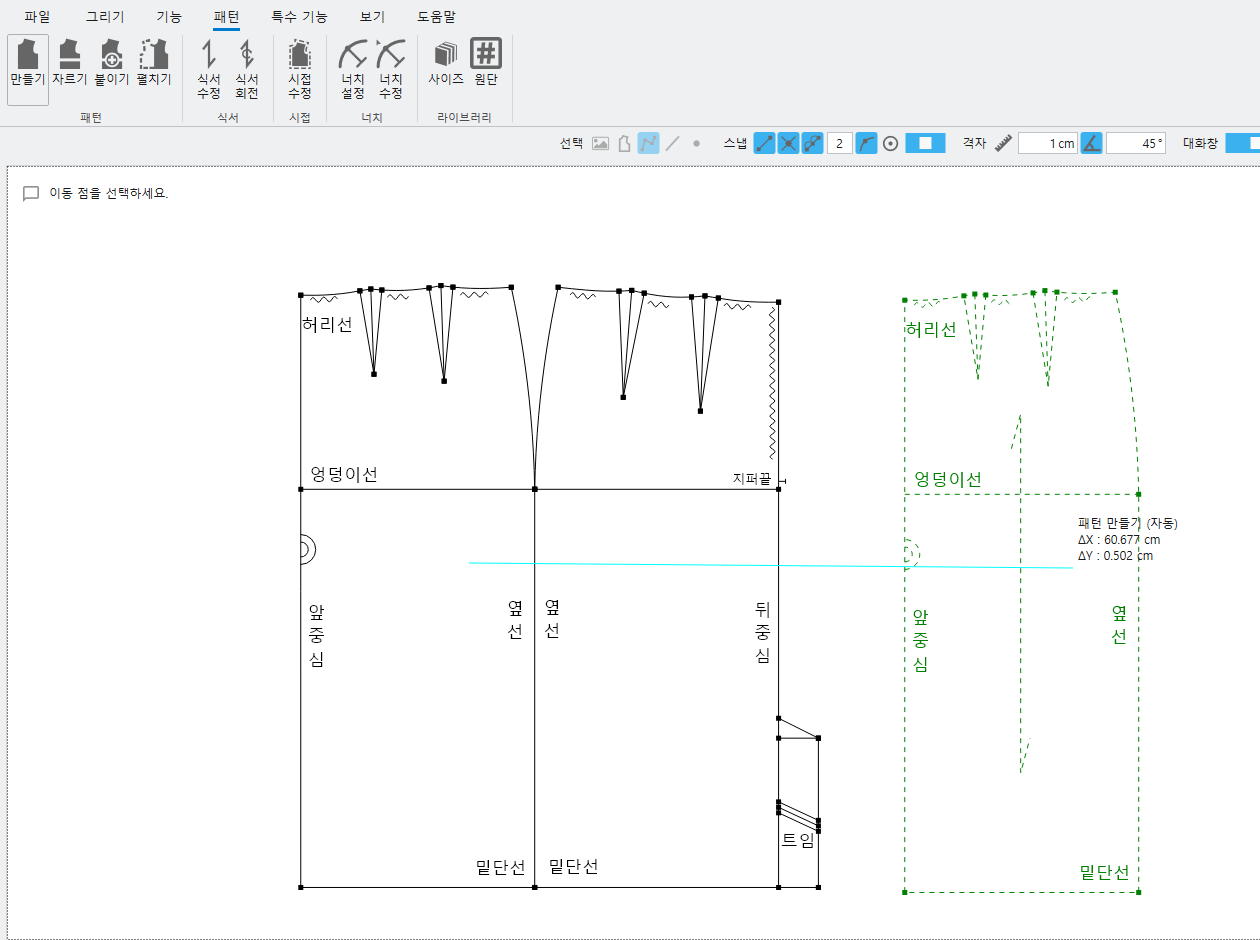
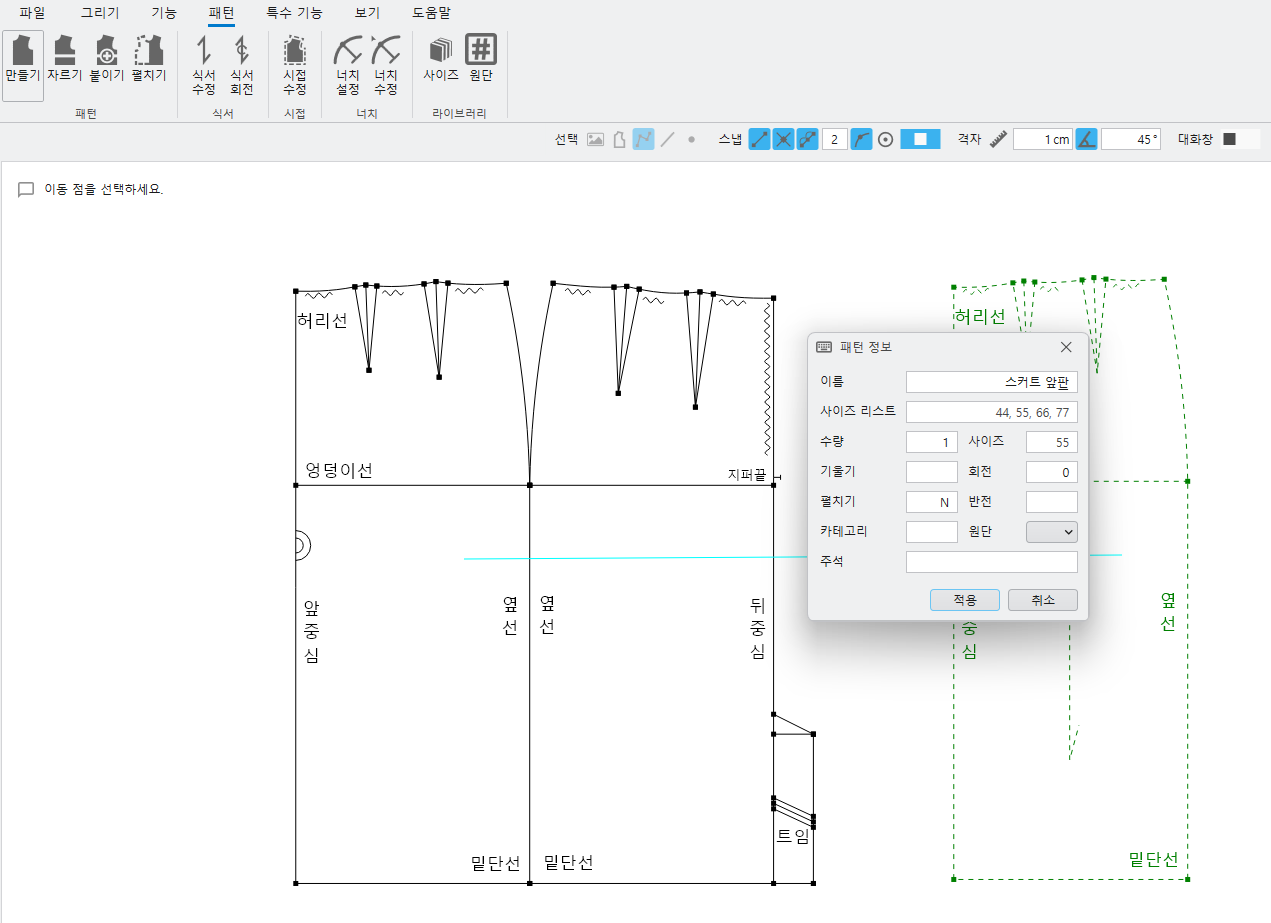
③ Enter the pattern name in the pattern information after moving the pattern
- The finished pattern changes to gray and, Text marks are automatically generated..
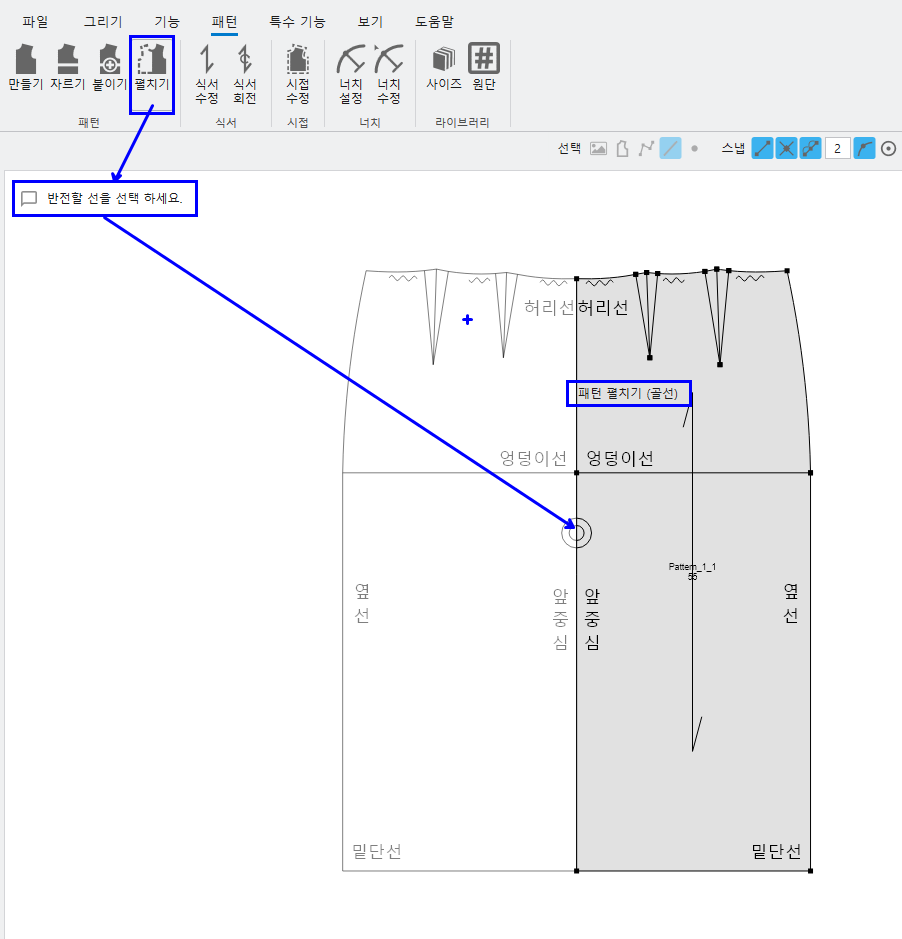
(2) Added a pattern expand feature to easily switch to the desired form when working with patterns.
① pattern-After selecting the Expand function, select the line to invert.(Basic options : bone line)
- When selecting bone line bone line(dotted line)It is displayed as.
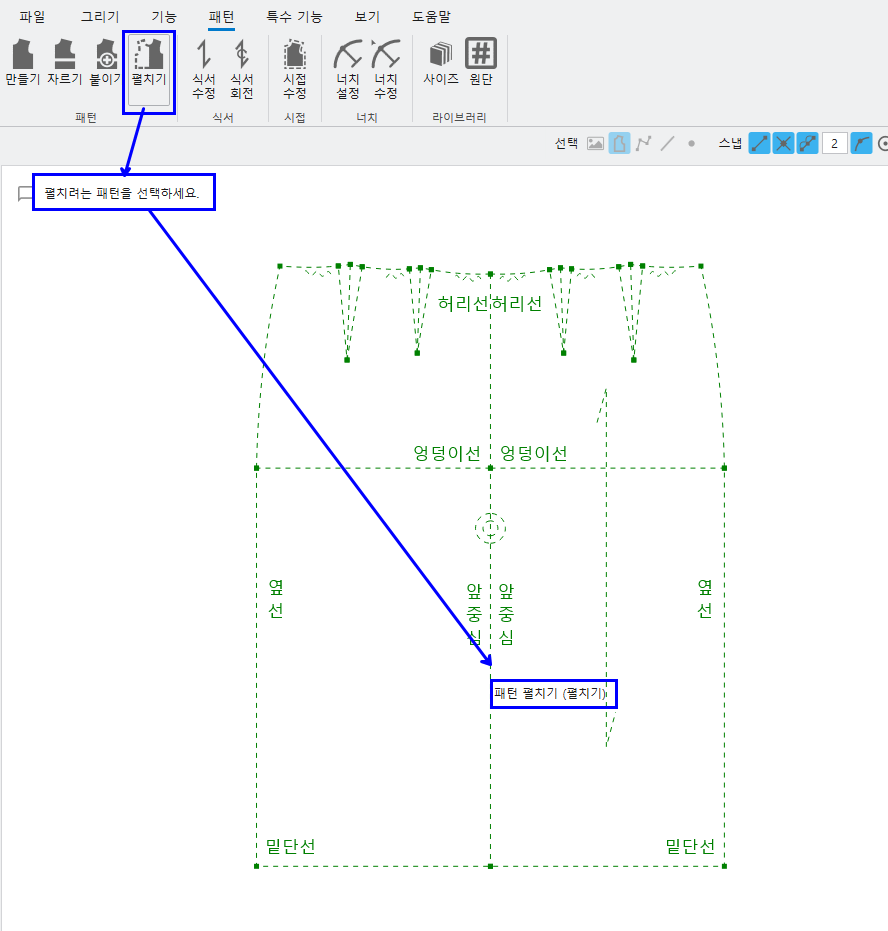
② pattern-After selecting the Expand function, select the line to expand in the pattern..(Selection options: Expand)
- When you select the ridge line of the pattern you want to unfold, a pattern unfolded into ridges is created..
(3) ratio & Added length grading feature
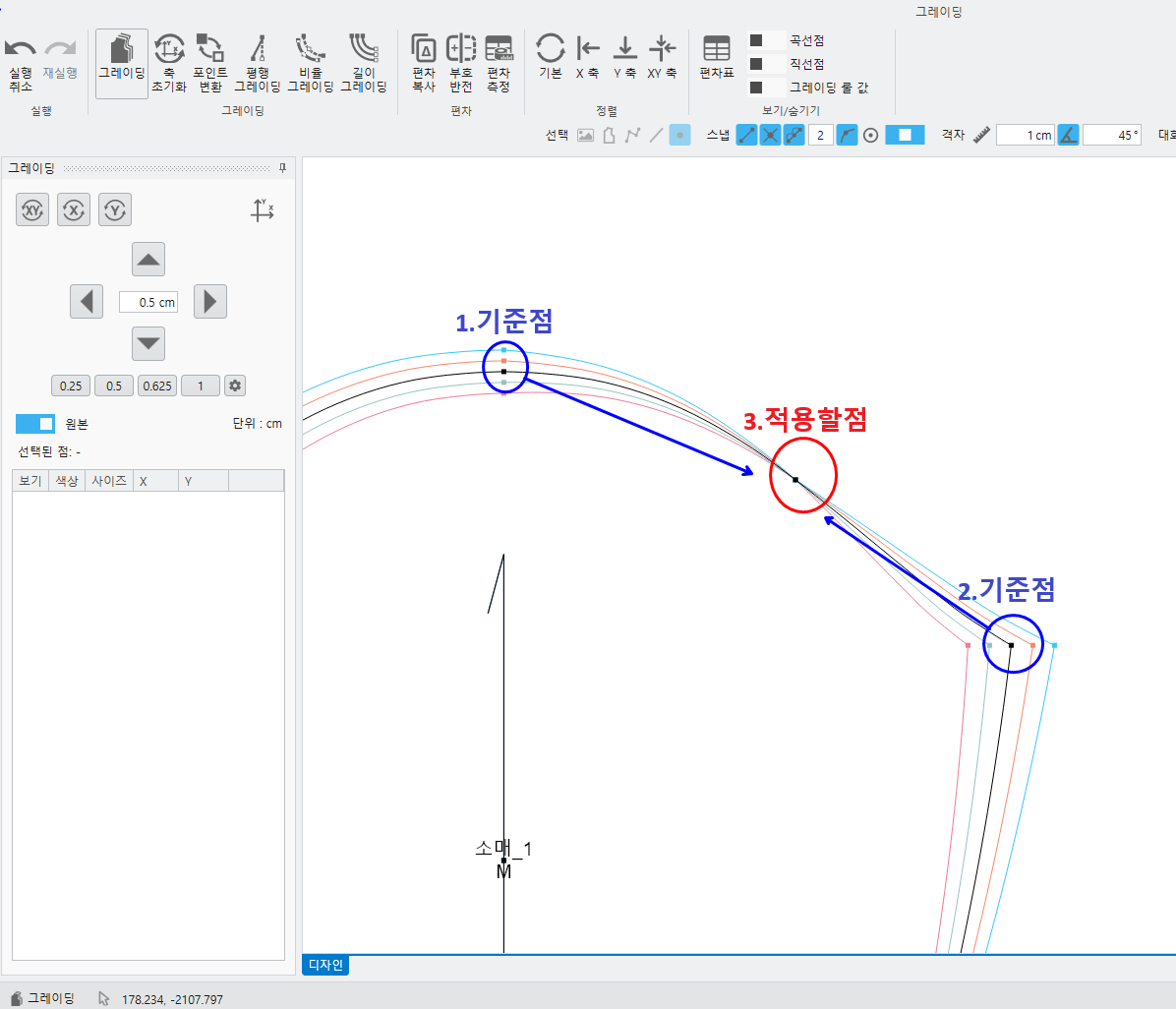
<Ratio grading>
Ratio grading applies a deviation value created from the ratio of two point deviations.
It is used when applying a ratio value to the points between graded points..
① Ratio grading- Select a reference point – Select the next reference point – Select the point to apply – Apply
- Points to be applied are applied one by one..
<Length grading>
① Length grading is a function that adjusts the deviation of line lengths. Click Length Grading.-Click the corresponding line segment
- Moving dots are displayed in red., You can enter the deviation value..
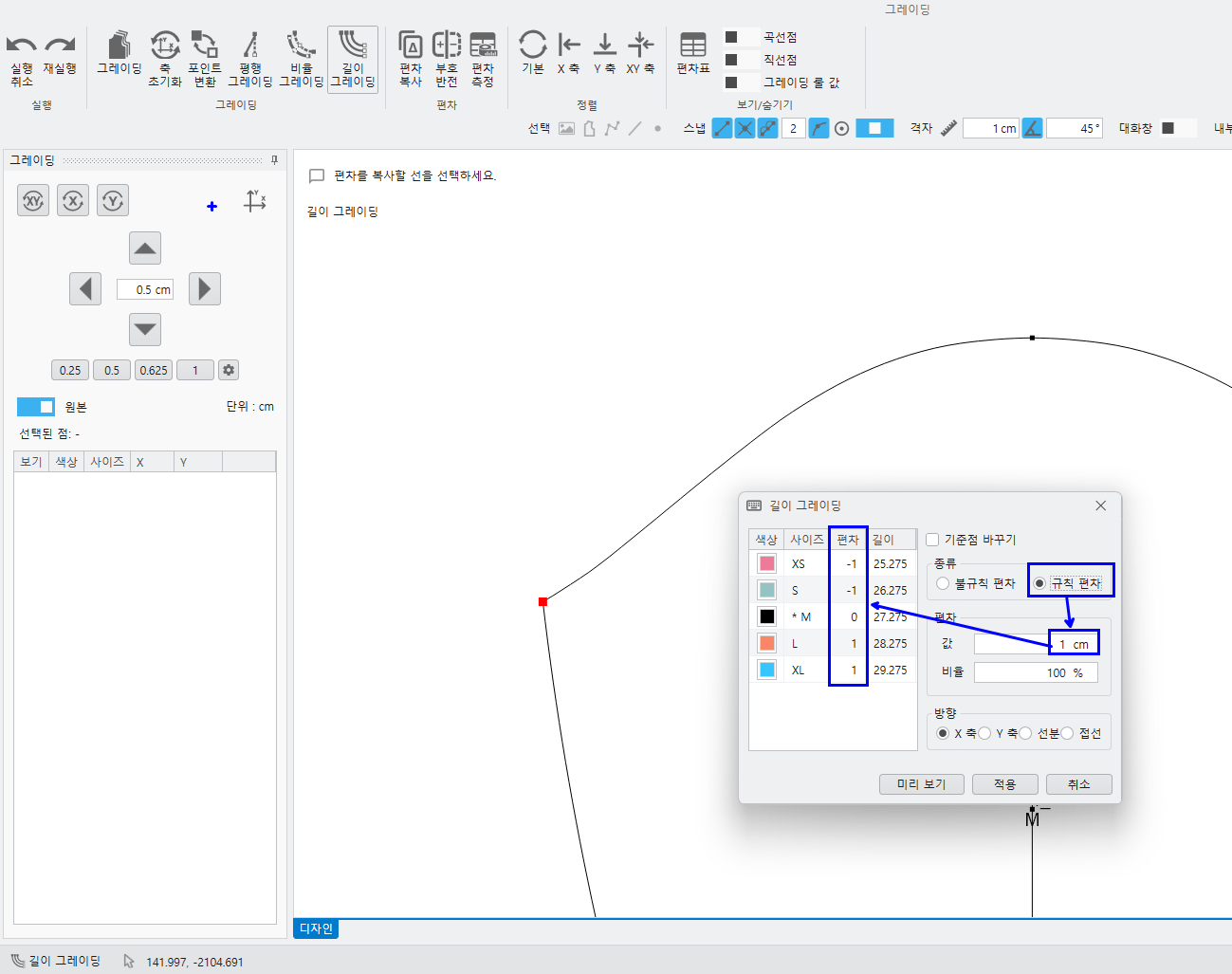
- irregularity / rule : Select and apply based on the desired deviation value..
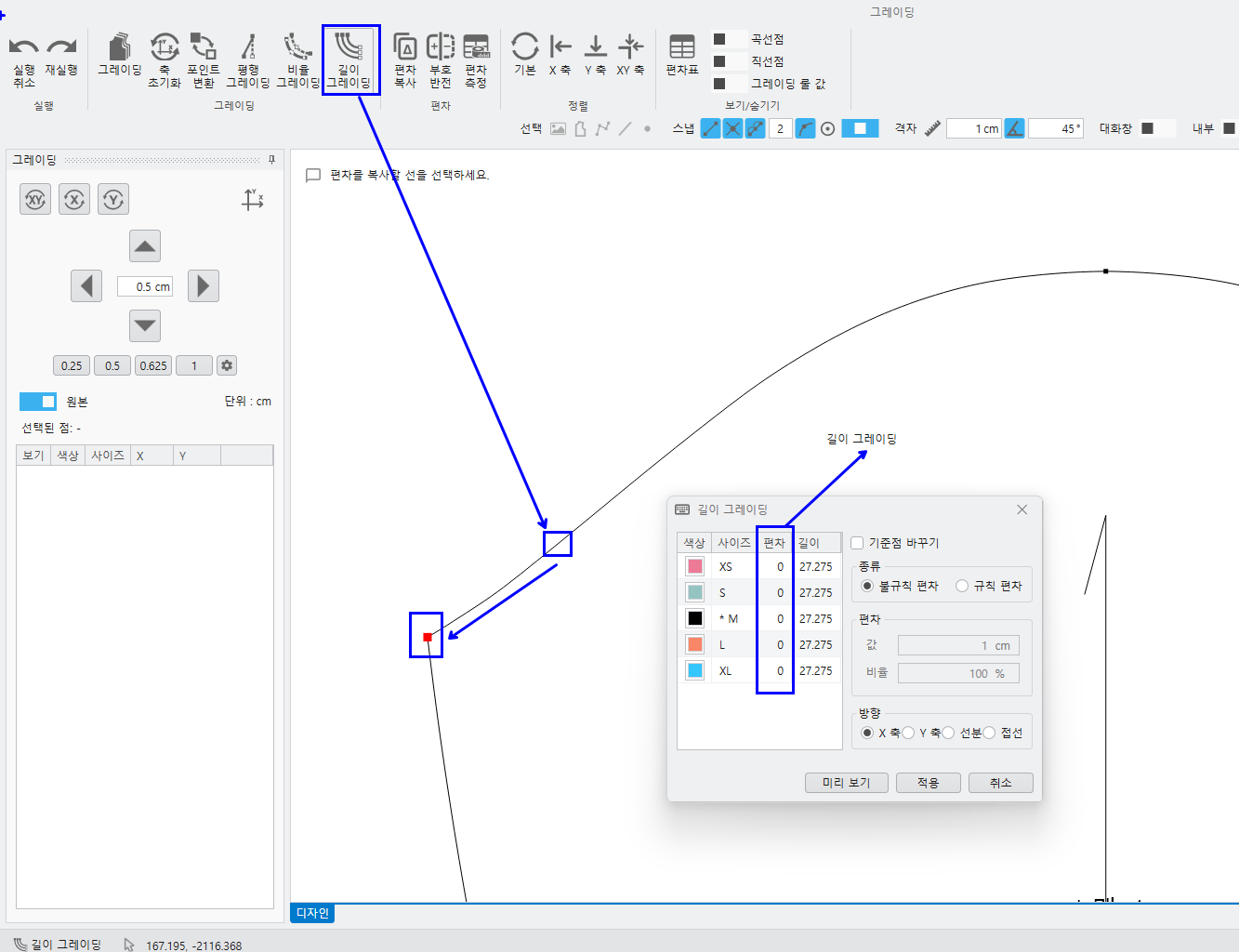
② rule/Selection of irregular deviations- Input Deviation Value – Direction of Movement Line
- If you enter a deviation value, the deviation value for each size is applied uniformly..
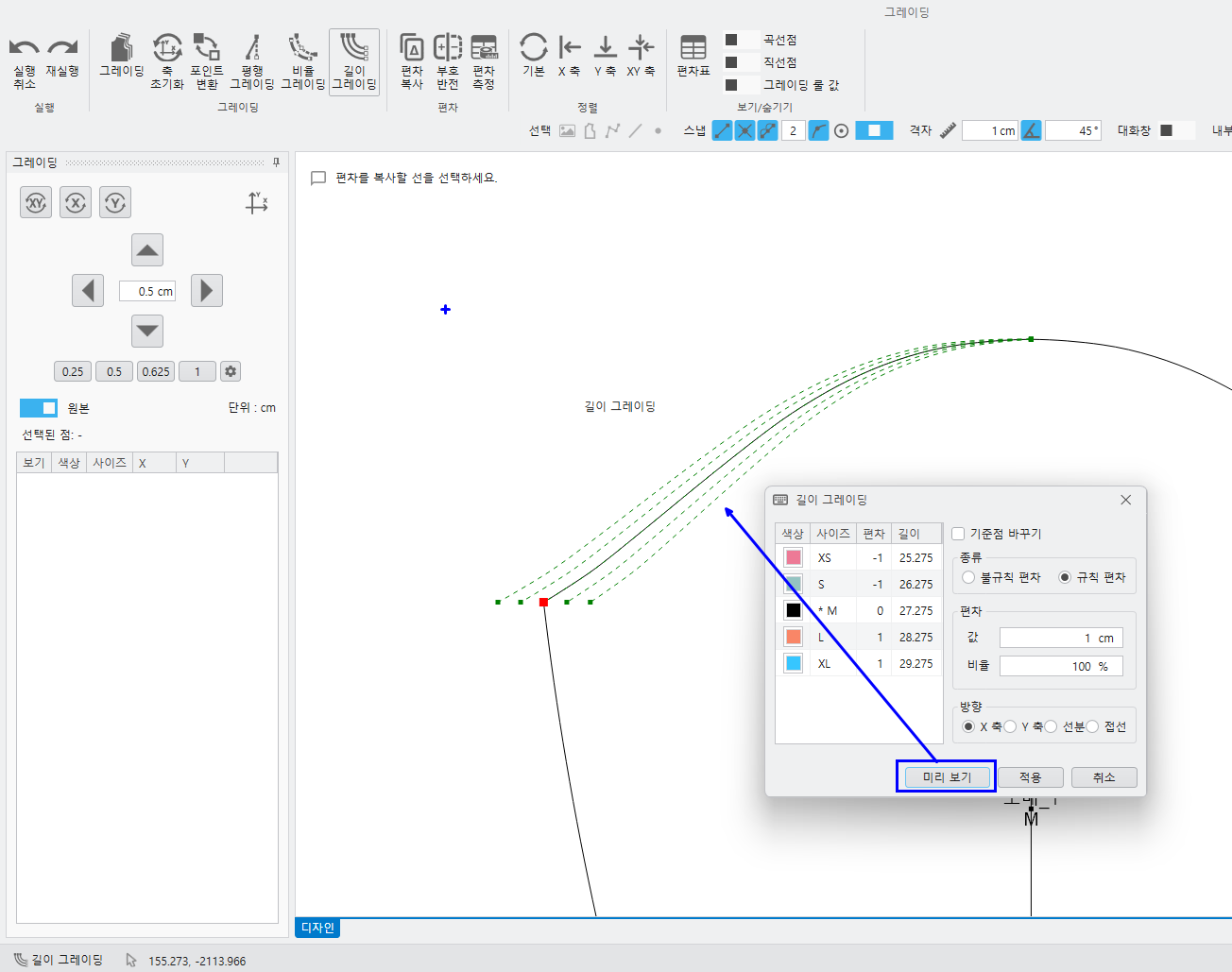
-- When you select Preview, you can see the form with the deviation value applied as a dotted line..
- Length grading, Regular deviation, 1cm, xShape applied along the axis
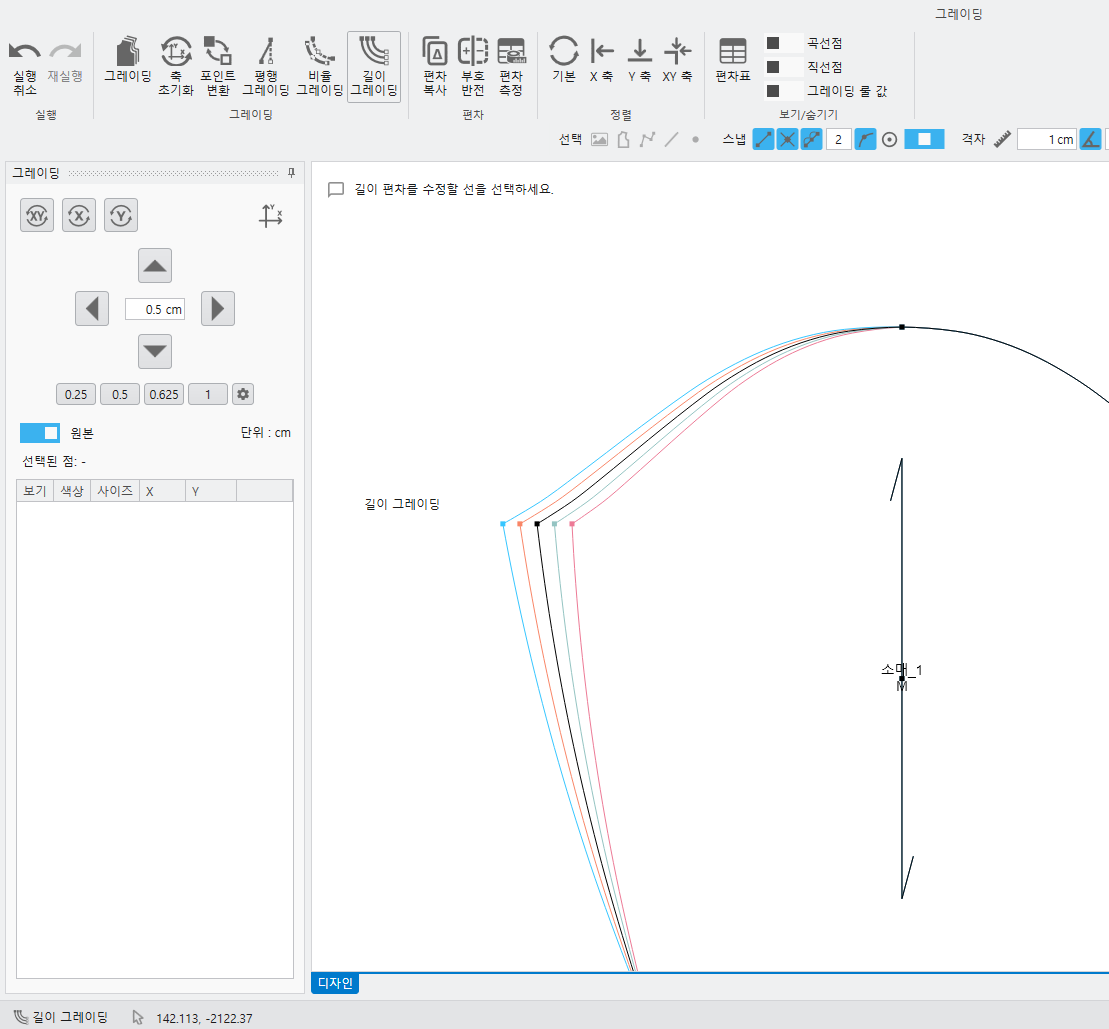
③ deviationYou can check the deviation value and length applied by the measurement..
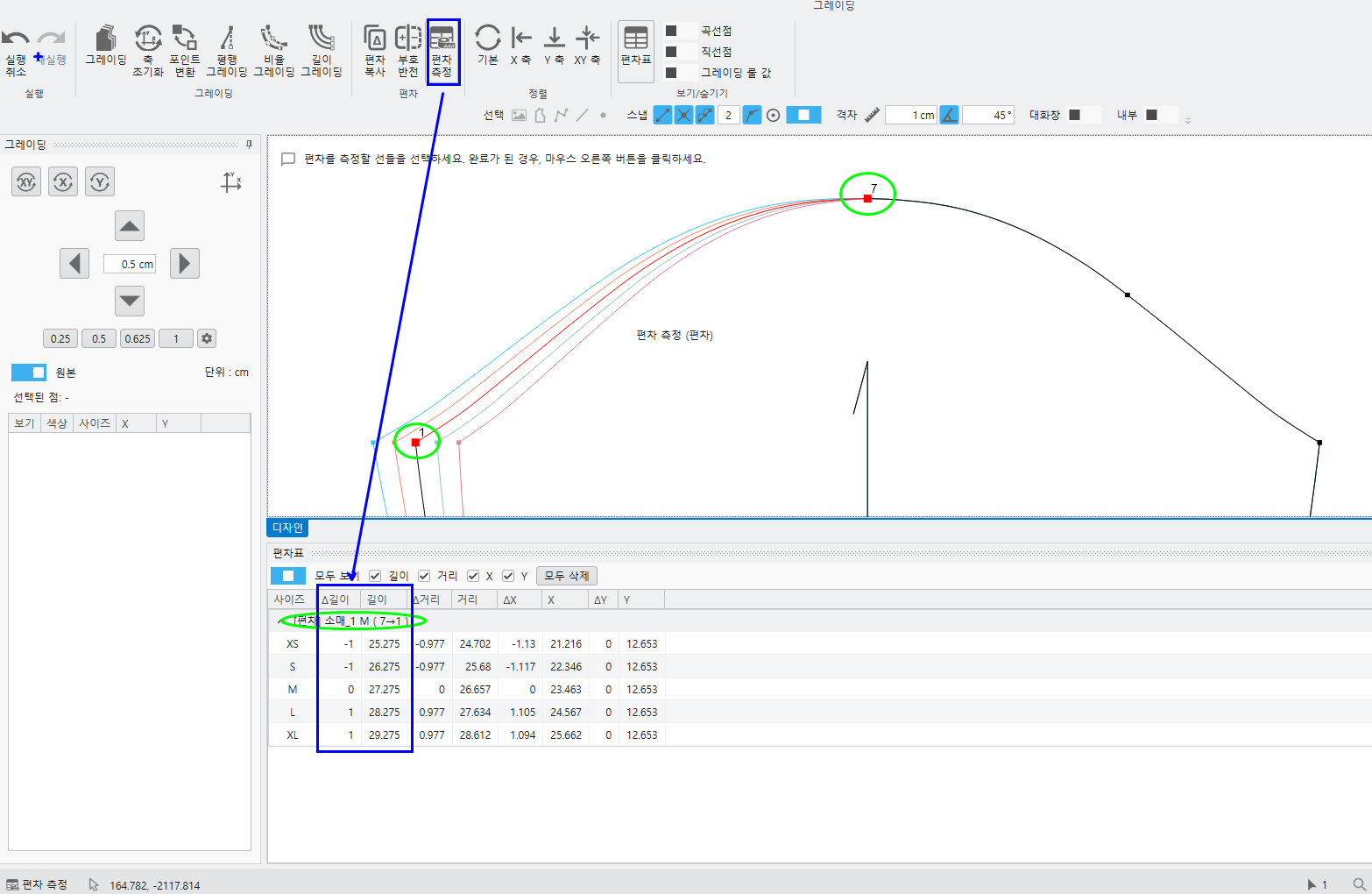
Please refer to the manual for detailed explanations of each function..
*** UTTU CADIs When logging in, Automatic UpdateIt is possible. ***
※ UTTU CAD Personal In the versionPro There are the following differences from the version..
- A watermark is automatically inserted into the canvas..
- Float output is a pattern at once 10Only up to dogs are allowed.
We will always do our best to provide a better program..
thank you.